
- +1 (855) 956-3494
- / 9AM - 5PM EST / Monday-Friday
Technical support hours: 8AM – 8PM EDT, Monday – Friday
Reviewing hours of recorded CCTV footage has traditionally been one of the slowest, most frustrating parts of managing a security system. With Uniview's SeekFree NVR technology, users can now locate specific people, clothing colors, and delivery vehicles, in seconds using plain-text prompts, running 100% locally on the recorder with zero internet connection and zero monthly subscription fees.
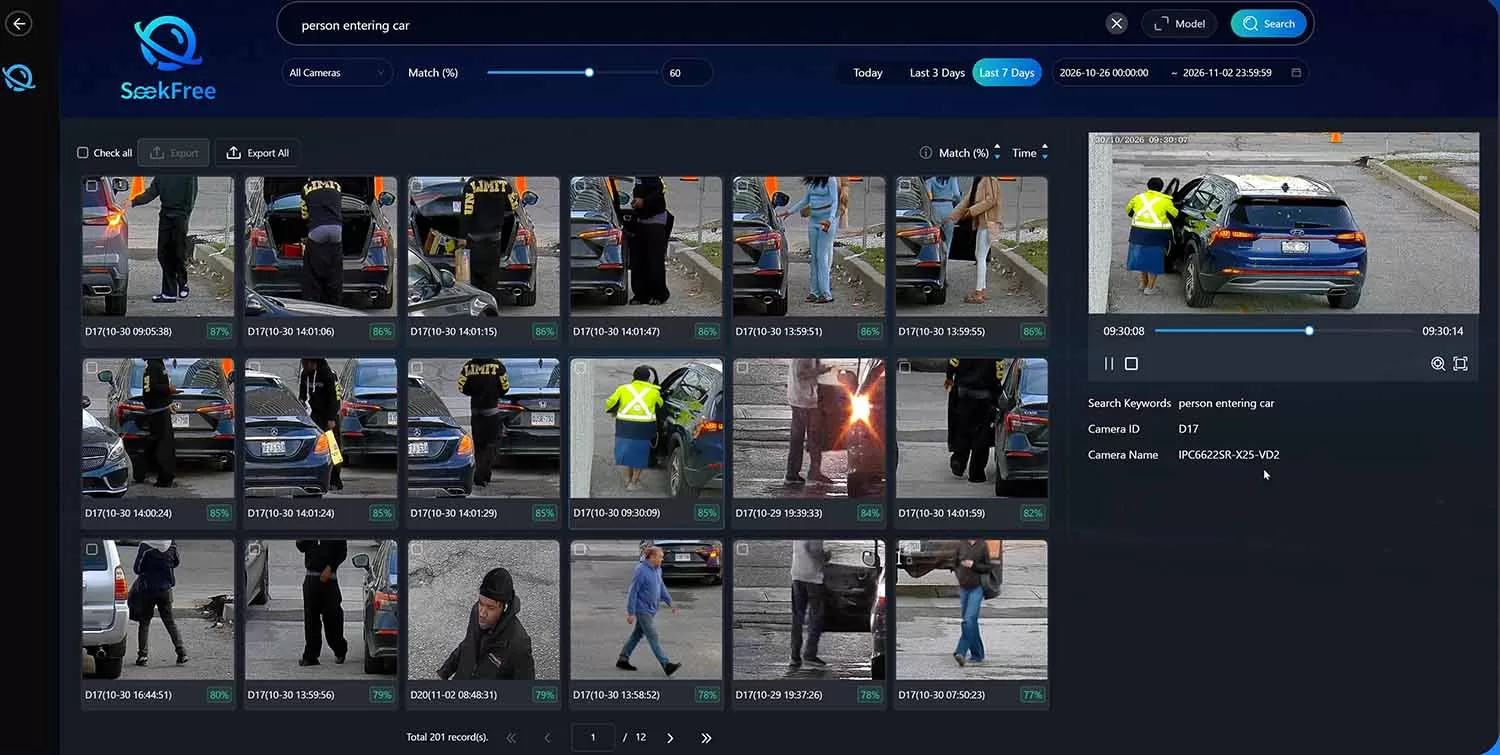 Uniview SeekFree lets operators search recorded multi-camera archives using simple text prompts directly on the NVR.
When a theft occurs, a package goes missing, a delivery truck arrives outside its scheduled window, or a workplace safety incident needs to be reviewed, someone has to find the exact clip buried inside days or weeks of continuous recordings.
Security personnel and business owners have relied on a mix of conventional playback tools and earlier analytics to investigate incidents, each with clear limitations:
Fast-forwarding through hours of footage at 4x or 8x speed while staring at multiple camera feeds.
Jumping from one Red motion marker to the next, only to realize that 90 percent of those triggers were caused by shifting shadows, rain, passing headlights, or routine foot traffic.
Crossline detection, intrusion zones, and basic human/vehicle detection are a big improvement, they are still slow to search with users having to manually click through pages upon pages of events just to find the required one.
Face search has also been an option for some time, but it depends heavily on clear, close-range frontal angles and well-lit facial captures. When subjects wear hats, look down, or pass through wide-angle overhead views, face filtering often comes up empty.
Even when organizations looked toward more flexible AI-powered video search in the past, those solutions typically required expensive cloud subscriptions, dedicated GPU analytics servers, high-speed internet uplinks, or hours of custom attribute configuration during installation. Uniview designed SeekFree to fill that gap without those barriers.
Featured in the walkthrough video by Petawise Technologies, Uniview SeekFree is a next-generation, natural-language video search engine built directly into Uniview's intelligent Network Video Recorders (NVRs). Powered by the Uniview Large Model, SeekFree brings multimodal vision-language understanding straight to the edge, meaning the AI processing happens locally inside the NVR itself.
When you type a description into the SeekFree search bar, the NVR converts your everyday words into semantic vectors and compares them against indexed visual features captured across your connected camera channels. Instead of forcing you to learn rigid technical filters or pre-define every possible scenario before an incident happens, SeekFree understands visual context, clothing attributes, object types, vehicles, and everyday items on demand.
Many AI search tools on the market rely on cloud servers to process video prompts. If your internet connection drops, or if your site has limited upload bandwidth, cloud-based AI search stops working. Because SeekFree runs completely locally on the NVR hardware, you get fully prompted video retrieval even on air-gapped networks, rural properties, construction trailers, and secure enterprise facilities.
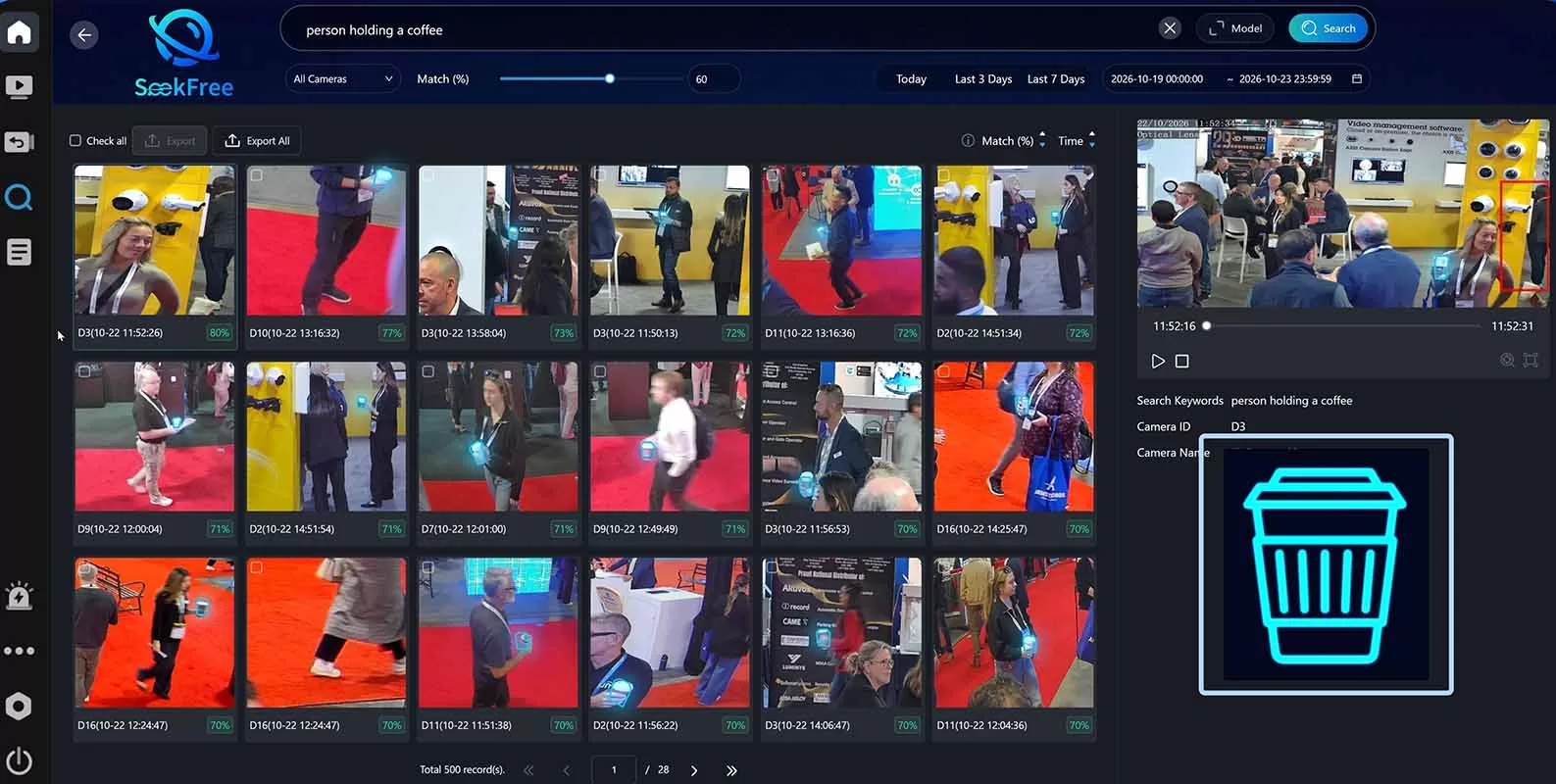 Operators can type natural keywords such as clothing colors, carried bags, or vehicle descriptions to filter results across channels.
One of the biggest breakthroughs demonstrated in the SeekFree walkthrough is how naturally operators can query their footage. Rather than clicking through sub-menus for "Upper Body Color" or "Vehicle Sub-Type," you simply type what you are looking for as if you were describing it to a colleague.
(select the desired camera channel(s) to narrow results to a specific location such as an entrance, loading dock, or warehouse aisle)
Whether you are helping locate a missing child in a busy shopping centre, checking on an elderly resident in a care facility, or retracing a suspect's path across a property, typing a clothing description (such as jacket color, pants, backpack, or hat) immediately pulls matching clips across every indexed camera.
Need to verify when a courier dropped off a high-value shipment or investigate a vehicle that grazed a bollard in the parking lot? Simply select the relevant parking lot or loading dock camera and search by vehicle type or color to isolate every arrival, stop, and departure in seconds without watching hours of empty lot footage.
When reviewing workplace operations or investigating a site incident, SeekFree lets safety managers and supervisors search directly for physical objects and equipment rather than scrolling through hours of floor footage. For example, you can search for "ladder," "forklift," or "toolbox" to quickly locate when and where a ladder was set up in a warehouse aisle, verify equipment movement near a loading bay, or pinpoint footage surrounding an equipment-related incident.
From tracking down a misplaced package or unattended pallet near a dock door to locating a wandering pet or livestock on an agricultural property, SeekFree indexes non-motor objects, everyday items, and animals alongside human and vehicle targets.
As highlighted in the walkthrough video, SeekFree delivers immediate, measurable value to both the people who rely on security footage every day and the professionals who design and install these systems.
Retail and warehouse loss prevention teams often handle dozens of incident inquiries per week. Instead of losing half a shift scrubbing camera feeds, investigators can type a suspect's outfit or bag description, stitch together their movement across aisles and exits, and export solid video evidence in minutes.
Business owners rarely have time to learn complex VMS software. With SeekFree, any manager can sit down at the recorder, type a plain-English query to verify a delivery, check opening/closing procedures, or review a customer slip-and-fall incident, and get immediate answers without calling IT support.
For installers, SeekFree is a high-impact differentiator that adds massive value to every bid with zero extra setup required. You do not need to spend hours drawing intricate analytics zones on every camera or managing recurring cloud billing, just deploy a SeekFree-capable NVR and deliver instant AI search out of the box.
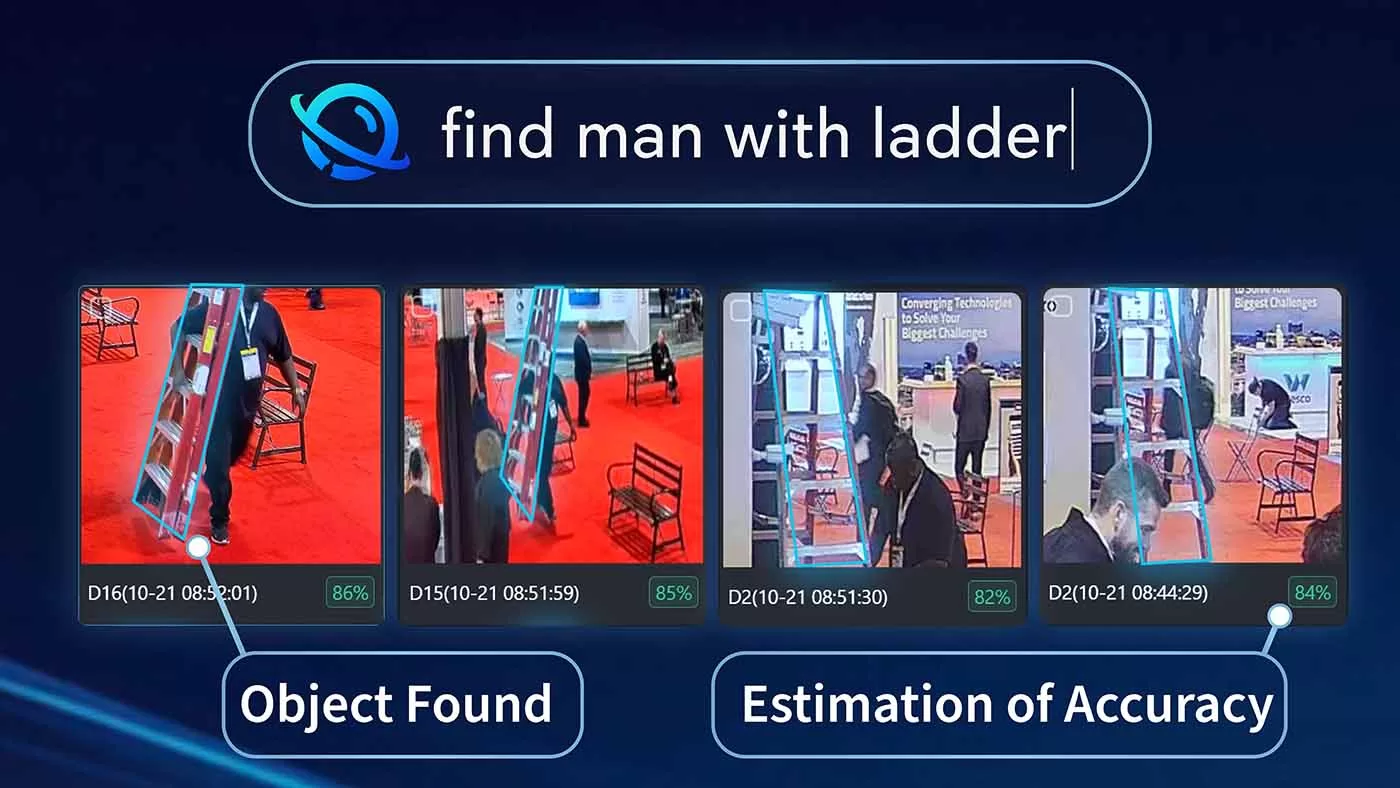 Matching video thumbnails appear within seconds, allowing instant one-click playback and evidence export.
Whether you are operating directly at the NVR monitor (with a mouse or a plug-and-play USB keyboard for fast typing) or accessing the recorder over your local network, running a SeekFree investigation takes only a few moments:
From the Uniview NVR New GUI homepage (or via the Web interface, or UniEase mobile app), launch the dedicated SeekFree search module.
Choose the specific camera channels you want to search across, such as entrances, loading bays, parking lots, or sales floors, and set your target date and time window.
Enter a descriptive keyword or phrase in the search bar, such as "person in blue jacket carrying box" or "white pickup truck". You can combine clothing attributes, vehicle types, and carried objects in a single query, while your selected camera channels pinpoint the exact physical area.
Within milliseconds, SeekFree displays ranked video snapshot cards matching your description, complete with timestamps and camera channel labels so you can visually scan every hit at a glance.
Click any matching result card to immediately play back the recorded clip around that exact moment, verify the full context of the event, and back up the footage to a USB drive or local workstation.
SeekFree is supported across Uniview's NVR3-IQ Series, NVR5-IM Series, and enterprise NVR5-IX / NVR8-IX Series recorders (scaling from 8-channel SMB units up to 256-channel enterprise recorders). If you are configuring an IM Series NVR on the New GUI, simply navigate to Events > Smart Events > VCA Configuration > Analyzer Config and select SeekFree mode (which toggles off standard AcuSearch). On higher-tier IX Series NVRs, the hardware supports running AcuSearch and SeekFree simultaneously without needing to switch modes.
As announced in the walkthrough video by Petawise Technologies, these new SeekFree-enabled Uniview NVRs are arriving at Uniview Canada this December, bringing subscription-free, offline AI video search to dealers, integrators, and commercial end users across Canada.
A: Yes. All multimodal AI indexing and natural-language prompt processing happen locally on the NVR's built-in edge processor. Once your cameras are connected to the NVR, you can plug in a monitor, mouse, and USB keyboard and run full AI text searches completely offline.
A: No. SeekFree is built natively into compatible Uniview NVR hardware with zero recurring cloud fees, zero per-channel AI licenses, and no hidden software maintenance charges.
A:On IM Series NVRs a simple switch on the NVR analytic processing needs to be changed from AcuSearch to SeekFree. On the soon to be released more powerful IX Series no extra camera rule setup is required and both AcuSearch and Seekfree will work together. SeekFree automatically indexes visual attributes across connected channels.
A: Yes. While an internet connection is never required for SeekFree to function, systems connected to a local network or the internet can also initiate SeekFree searches remotely through the NVR, the Web interface, and the UniEase / UniTools Pro mobile applications.
See SeekFree in action as we demonstrate real-time natural-language searches on a Uniview NVR with no internet connection required.

Scan To