- +1 (855) 956-3494
- / 9AM - 5PM EST / Monday-Friday
Technical support hours: 8AM – 8PM EDT, Monday – Friday
The latest interface update for Uniview's EZCloud platform is officially here, and it brings significant improvements to how you remotely access and manage your IP cameras and Network Video Recorders (NVRs) online. If you have managed Uniview devices in the past, you will immediately notice a cleaner organization designed specifically to simplify your daily workflow.
Here is a comprehensive breakdown of everything new in the Uniview EZCloud interface.
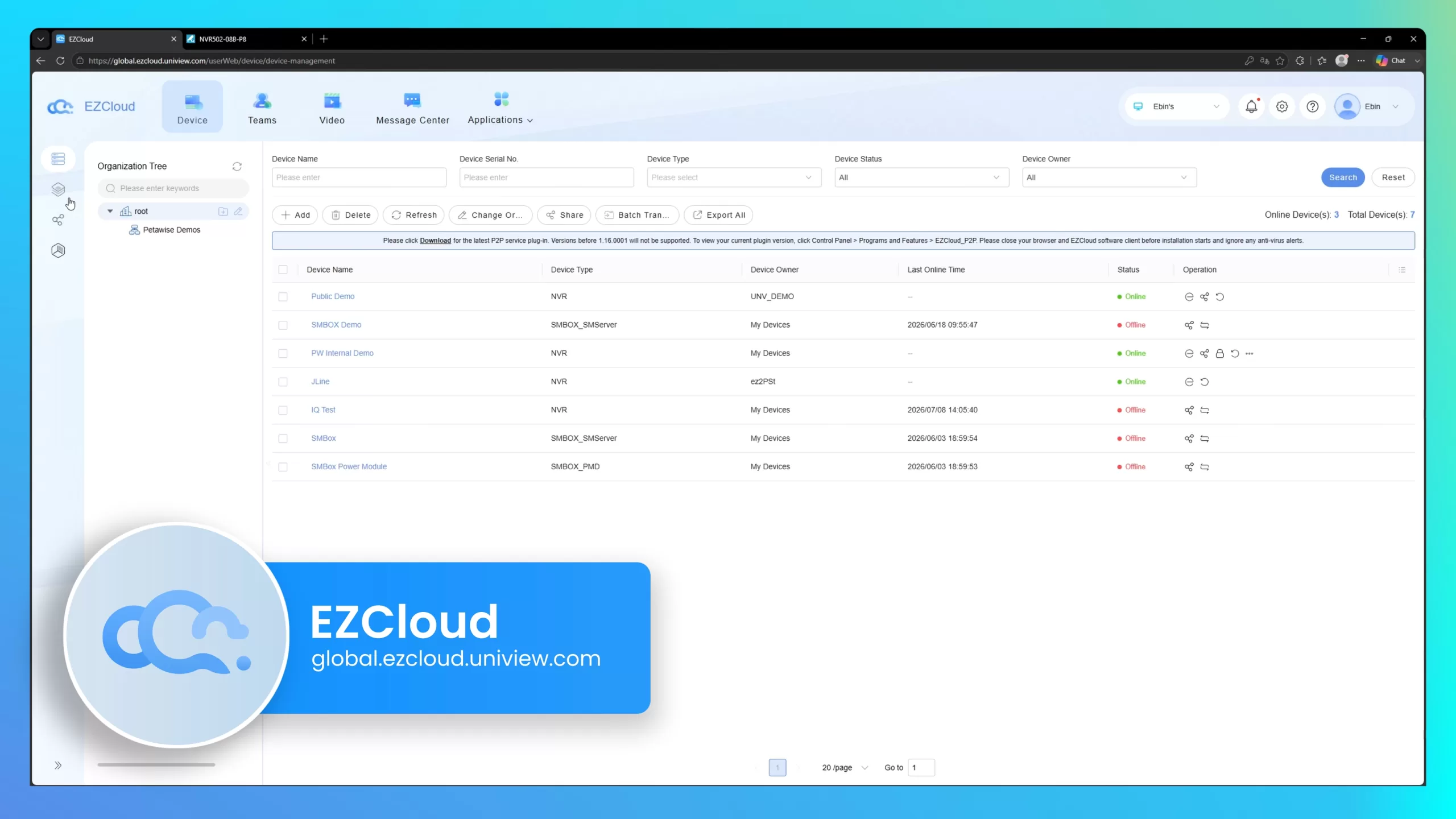
The most significant shift in this update is how the layout facilitates day-to-day management. Features that used to be hidden in separate pages are now centralized on the main dashboard. You can quickly define specific roles—like Admin, Operator, or Viewer—and assign team members effortlessly.
Quality of Life Update: The Role Management page now includes a dedicated search bar. Instead of scrolling through a long list of users to adjust permissions, you can simply type a name to find specific roles instantly.
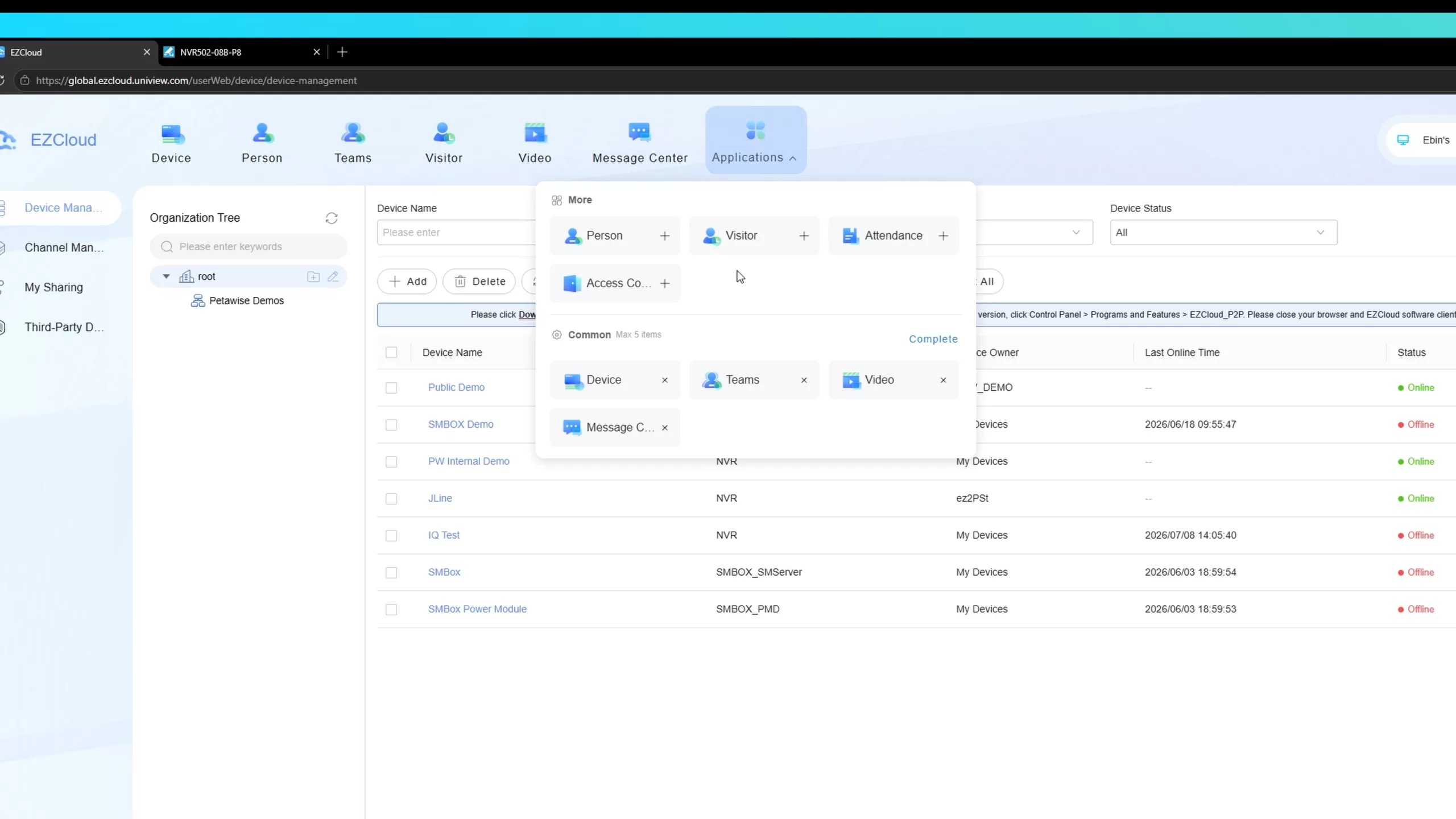
Rather than forcing you into a fixed, rigid layout, the new update introduces a customizable top navigation bar featuring a "5+1" design.
Security alerts are now tracked much more cleanly thanks to the new dedicated Message Tab. Acting as your notification hub, it lists every security alert triggered by your system, complete with preview images.
Best of all, clicking a notification now takes you directly to the exact recorded video segment, allowing for incredibly fast viewing and response times.
Getting started is as simple as logging into EZCloud via your Edge browser (using the same credentials as your EZView or Uniarch mobile app) and allowing the dedicated web plugin to run. Once you are in, the core pages have been optimized:
This is your complete system inventory. Monitor the online/offline status of all registered NVRs and IP cameras, transfer device ownership, and seamlessly access the web page of your NVRs remotely to adjust settings without needing to be on-site.
For larger properties, the Organization Tree is a lifesaver. You can now create custom folders to group cameras by specific physical locations or buildings, making finding a specific camera much faster.
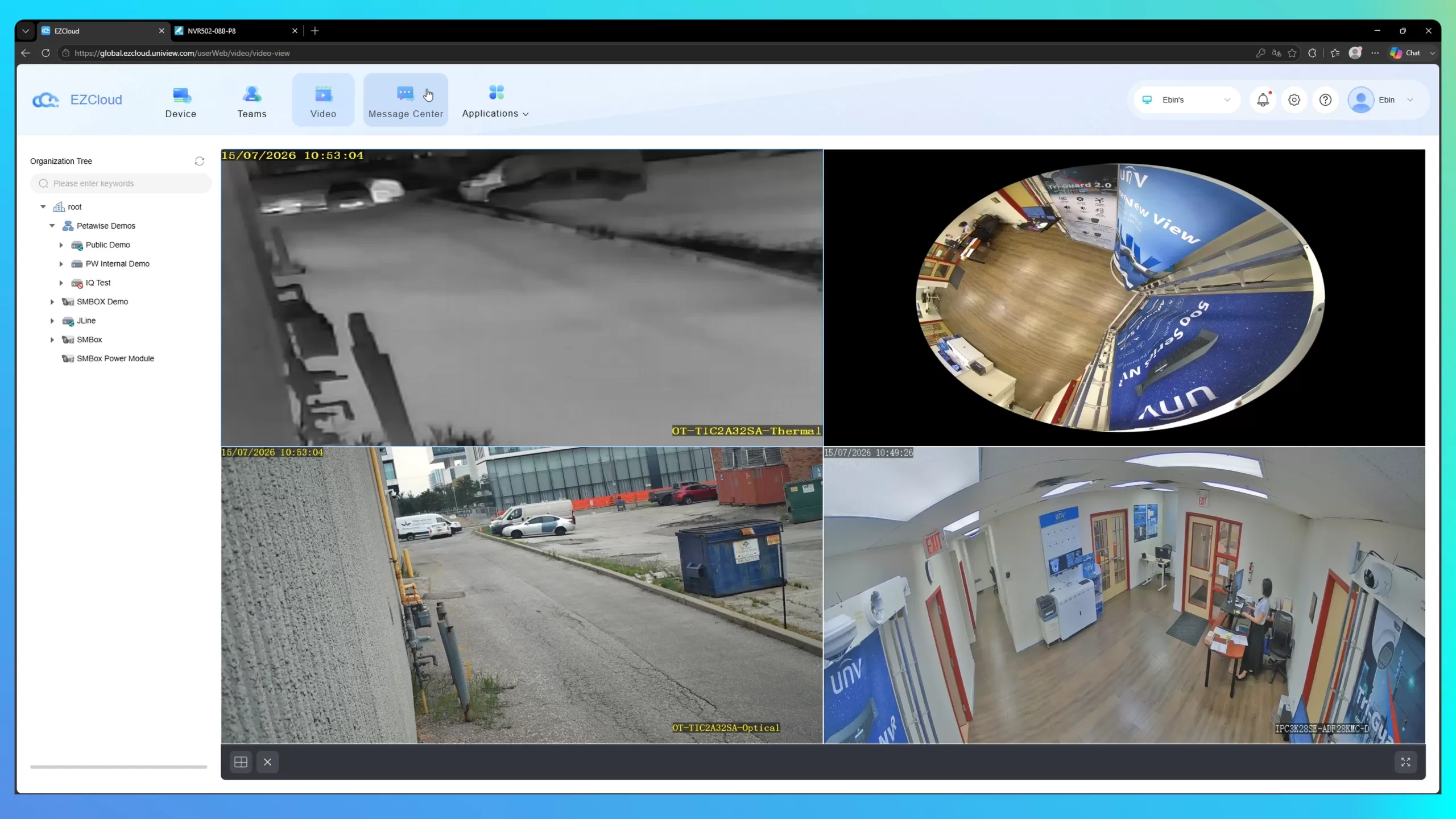
Built for actual security monitoring, the Video Page allows you to select cameras to view as a group or individually. Accessing playback is easier than ever—just click the playback icon next to the model number to quickly view the timeline of normal and triggered recordings.
Ultimately, the latest Uniview EZCloud update is built to keep all your cameras under one collaborative space. With the new navigation customization, role search functionality, and direct-to-video alert messages, managing your security system is faster and more intuitive than ever.
Want to see these new features in action? Watch the full walkthrough tutorial below!
▶ Watch the EZCloud Update Video
Scan To